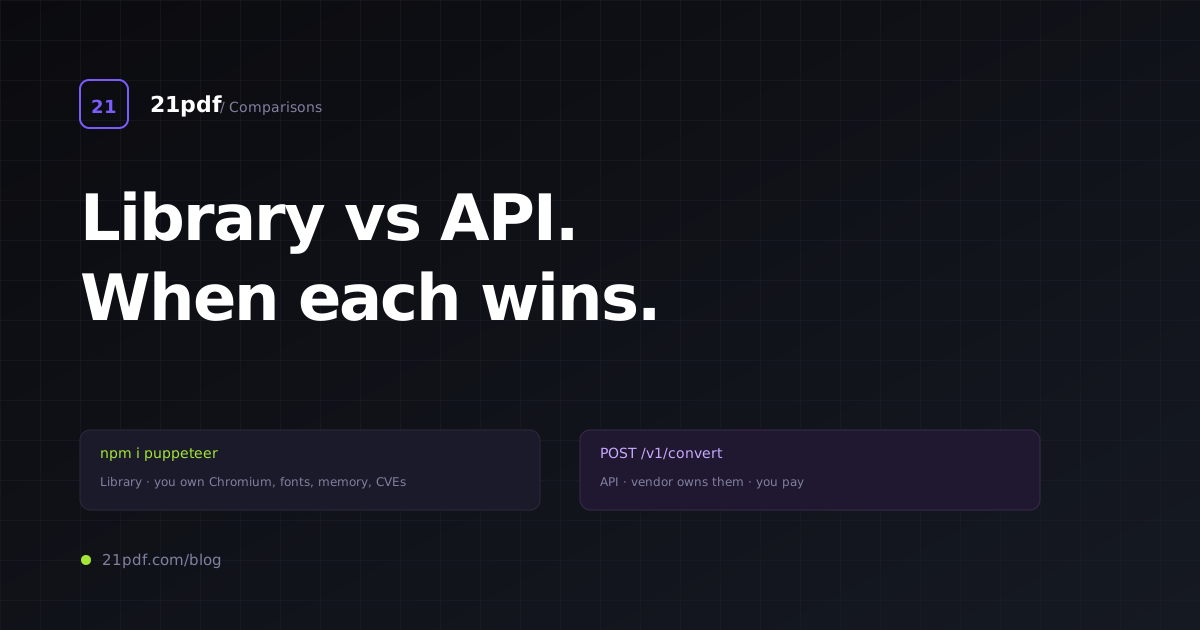
Every few months, someone on our team or a customer’s team proposes “we should just self-host Puppeteer — how hard can it be?” The answer is harder than you’d guess, for longer than you’d want, and this post is the structured version of the rant I’ve given several times.
It’s not a trick question. Self-hosting HTML-to-PDF rendering is the right answer for some teams. It’s the wrong answer for most. The line between them is clearer than it looks once you separate the engineering work from the cloud bill.
TL;DR
- Self-host wins when: volume > 100k PDFs/day, PDF rendering is core to your product, you have a dedicated engineer comfortable with browser infrastructure.
- Managed API wins when: any of the above is false. Including “we have the engineer but they should be building the actual product”.
- The hidden cost of self-hosting is operational: Chromium memory leaks, font management, SSRF hardening, queue back-pressure, on-call for 3am alerts. None of it is hard; all of it adds up.
- The crossover volume is roughly 100k PDFs/day (~3M/month). Below that, paying $29-$499/month for a managed API is cheaper than the engineer-hours required to do it right.
- Gotenberg is the most turnkey self-hosted option — a Docker image that wraps Chromium via a clean HTTP API. Start there if you must self-host.
The real choice
The question isn’t “library vs API” in abstract. It’s a specific engineering decision with three variables:
- How much PDF rendering am I doing? Measured in PDFs/day at peak, not average.
- How central is PDF rendering to my product? A billing SaaS that renders invoices is in the “central” bucket. A collaboration tool that renders “export to PDF” when users click the button is in the “peripheral” bucket.
- What’s my team’s operational appetite? Specifically, who wakes up at 3am when the PDF queue backs up or the Chromium pool OOMs.
Three answers give you six scenarios. The self-host vs API tradeoff is different in each.
| Volume | Centrality | Op appetite | Recommendation |
|---|---|---|---|
| < 10k/day | Peripheral | Low | Managed API ($9-$29/mo) — no-brainer |
| < 10k/day | Central | Low | Managed API ($29/mo) — spend engineering on the real product |
| < 10k/day | Central | High | Managed API first, revisit at 10× growth |
| 10k-100k/day | Peripheral | Low | Managed API ($69-$299/mo) — at this volume you still win |
| 10k-100k/day | Central | High | Either works; lean self-host if you want control |
| > 100k/day | Central | High | Self-host (Gotenberg or custom) — vendor margins start to hurt |
Below the line in the table above, managed APIs win. Above it, self-hosting starts to make sense. Most SaaS teams live below the line and don’t know it because they overestimate their volume and underestimate the operational tax.
What “library” means, concretely
“Library” in this post covers every option where you run the Chromium pool yourself:
Puppeteer (Node.js, Google-maintained) — npm i puppeteer, browser.newPage(), page.pdf(). Bundles a specific Chromium; tightly coupled to version.
Playwright (Node/Python/Java/.NET, Microsoft) — similar API, multi-browser (though PDF only on Chromium). More ergonomic for complex interaction scenarios.
chromedp (Go) — talks CDP directly, no Puppeteer abstraction. Good if your stack is Go.
Gotenberg — Docker image wrapping Chromium + LibreOffice + Pandoc. Clean HTTP API, no client library required. Most turnkey.
Weasyprint (Python) — pure-Python renderer, not Chromium-based. Decent for simple reports; lacks modern CSS (no flex spec-compliance, no grid, no container queries, no @page margin-boxes).
Prince XML — commercial, CSS Paged Media Level 3-compliant, typeset quality. $3800+/server licence. Used by publishers.
WeasyPrint, wkhtmltopdf — neither is the right answer for greenfield work in 2026. Weasyprint for the CSS limitations above; wkhtmltopdf because upstream is dead.
The discussion below centres on Puppeteer/Playwright/Gotenberg — the three Chromium-based libraries that are credible self-host options today.
Cost model, with real numbers
Let’s cost out a concrete scenario: 50,000 PDFs/day (~1.5M/month), mixed sync and async.
Managed API option (21pdf Business tier)
- 50,000/day × 30 = 1.5M/month — above the 50k/month Business tier
- Needs a custom plan at this volume, usually $199-$499/month range
- Engineering time: ~2 hours/month on integration maintenance
- Total monthly: ~$299 + 2hrs eng
Self-host option (Puppeteer on Kubernetes)
- 5 worker pods (2 vCPU, 4GB RAM each): ~$150/month cloud cost
- Load balancer: ~$20/month
- Redis queue: ~$15/month
- Object storage (1M PDFs/month × avg 200KB = 200GB): ~$5/month S3 + $15/month egress
- Monitoring (Datadog / Prometheus+Grafana): ~$50/month (small)
- Engineering time to set up: 40-80 hours
- Engineering time to maintain: 5-15 hours/month for upgrades, incident response, font updates, SSRF reviews, version pinning
- Total monthly: ~$255 cloud + 10hrs eng
At a fully-loaded engineer cost of $150/hr, that’s $1,500/month in engineering time plus $255 cloud. Total: **$1,755/month** for self-host vs ~$600/month (including engineering) for the managed API.
The cloud bill is roughly the same. The engineering time is the difference. Self-hosting pays off when the cloud bill replaces a larger API bill AND you genuinely have spare engineering capacity.
At 500,000 PDFs/day (~15M/month), the numbers flip:
- Managed API: ~$2000-$5000/month at volume-negotiated rate
- Self-host: ~$500 cloud + 15hrs eng = ~$2,750/month
Approximately a wash. Now the decision is about control and product centrality, not cost.
What you have to build yourself (beyond Chromium)
If you self-host, you’re not done when page.pdf() works. You’re done when all of these work:
1. Process pool with recycling
One Chromium per worker, create a tab per request, close tab after. Recycle the whole process every N requests or M minutes because Chromium leaks memory. Typical N=500-2000, M=24hrs.
// Sketch — the real thing is hundreds of lines.
class BrowserPool {
  private browsers: Array<{ browser: Browser; uses: number; spawned: Date }> = [];

  async acquire(): Promise<Browser> {
    const eligible = this.browsers.find((b) => b.uses < 2000 && this.age(b) < 86400_000);
    if (eligible) { eligible.uses++; return eligible.browser; }
    return this.spawn();
  }

  async spawn(): Promise<Browser> {
    const browser = await puppeteer.launch({
      args: ['--no-sandbox', '--disable-dev-shm-usage', ...],
    });
    this.browsers.push({ browser, uses: 1, spawned: new Date() });
    this.reap();
    return browser;
  }

  reap(): void {
    // Kill browsers past their use count or age; spawn replacements on demand.
  }

  // ...
}
2. SSRF hardening
If you accept URL inputs, you need:
- HTTP-boundary blocking of private IP ranges before fetch
- In-browser request interception to re-check every sub-request (DNS rebinding defence)
- Handling for redirects, WebSocket, EventSource, dynamic imports
// Boundary check example
function isSSRF(url: string): boolean {
  const u = new URL(url);
  const ip = await resolveHost(u.hostname); // DNS resolution
  return isPrivateIP(ip) || isLinkLocal(ip) || isLoopback(ip);
}

// In-page interception
page.on('request', (req) => {
  if (shouldBlockSSRF(req.url())) {
    req.abort();
  } else {
    req.continue();
  }
});
The real implementations are longer. Missing either layer is a CVE waiting to happen.
3. Queue and back-pressure
Don’t accept a request if the pool is saturated — return 429 with Retry-After. Enforce per-customer concurrency limits to prevent noisy-neighbour issues.
4. Font management
Ship a font catalogue with your Docker image. Update it when customers report missing glyphs. Handle CDN-fetched web fonts (wait_for_network_idle, or inline as base64).
5. Error classification
Distinguish “customer HTML is broken” (4xx) from “our service is broken” (5xx). Silence, retry strategy, alert routing all depend on this.
6. Metrics + alerting
Render duration histogram (p50/p95/p99), queue depth, worker memory, render success rate. Alert on anomalies without waking you up for normal traffic spikes.
7. Output storage
Stream PDFs to S3/R2/GCS. Handle upload failures. Lifecycle policies for retention. Signed URLs for delivery.
8. Auth
If the service is internal only, this is easy. If you expose it to your customers (many SaaS do), you need API-key auth, rate limits, billing integration.
Each of these is tractable — nothing exotic. The cumulative cost of doing them all well, maintaining them, and iterating on them is what pays for the managed API.
The Gotenberg shortcut
If you’re going to self-host, Gotenberg is the starting point. It’s a Docker image that exposes Chromium’s PDF path over a clean HTTP API. You get:
- Chromium rendering with sensible defaults
- Network-idle waiting
- CSS
@pagesupport - Multi-format support (Word/Excel/Powerpoint via LibreOffice, if you need it)
- Built-in URL and HTML endpoints
- OpenTelemetry hooks
You miss:
- Multi-tenant auth and quotas
- SSRF hardening beyond basic URL allowlisting
- Queue/back-pressure built-in
For an internal service (employees render PDFs through an auth’d front-end), Gotenberg is excellent — 10 minutes to Docker-up, working PDF service. For an external service (customers hit it with API keys), you wrap Gotenberg with your own auth/SSRF/queue layer.
Gotenberg deployment sketch
# docker-compose.yml
services:
  gotenberg:
    image: gotenberg/gotenberg:8
    ports: ["3000:3000"]
    restart: unless-stopped
    command:
      - "gotenberg"
      - "--api-port=3000"
      - "--api-timeout=60s"
      - "--chromium-disable-javascript=false"
      # SSRF: deny all private ranges for URL inputs
      - "--chromium-allow-list=^https?://.*$"
      - "--chromium-deny-list=^https?://(localhost|127\\..*|10\\..*|172\\.1[6-9]\\..*|172\\.2[0-9]\\..*|172\\.3[0-1]\\..*|192\\.168\\..*|169\\.254\\..*).*$"
Call it from your app:
curl --request POST \
  --url http://gotenberg:3000/forms/chromium/convert/html \
  --form files=@"index.html" \
  --form 'paperWidth=8.27' \
  --form 'paperHeight=11.69' \
  --form 'marginTop=0.79' \
  --output out.pdf
And you’ve got a self-hosted HTML-to-PDF service in less than a day.
Scaling Gotenberg
For higher volume:
- Run 3-10 Gotenberg replicas behind a load balancer
- Queue requests in Redis/Sidekiq/Celery rather than hitting Gotenberg synchronously
- Monitor Chromium memory per container; recycle containers aged 24h+ with rolling restarts
- Set
--api-timeout=60sand enforce client-side timeouts below that
Kubernetes makes the scaling story ergonomic; plain Docker Compose works for smaller deployments. Either way, you own the uptime.
What you specifically lose with self-host
Beyond engineering hours, there are capabilities most managed APIs ship that you rebuild from scratch:
Multi-region rendering
If your customers span continents, you want rendering close to them (reduces fetch latency for url inputs). Managed APIs like PDFShift and DocRaptor run multi-region pools. Self-hosting this requires deploying to multiple regions and routing intelligently — weeks of work.
Hosted SSRF hardening with a track record
Vendors have been hit by SSRF CVEs, filed them, patched, and learned. Your new deployment starts at zero. If SSRF is a compliance concern, vendor track record matters.
Uptime SLA you can point at
Customer asks “what’s your PDF generator’s SLA?” Vendor has a public status page. You have “uhh, I’ll check Grafana.” Public SLAs matter for enterprise sales.
Fast patch cadence on Chromium CVEs
Chromium announces a critical renderer CVE. Vendors patch within 72 hours (because their customers demand it). Your Docker image update hits whenever you next rebuild.
Global font set
Vendor has Noto Sans with every script, plus Inter, Roboto, system fonts. You have whatever’s in your Debian base image. Miss a script and your customer’s Devanagari / CJK / Arabic content renders as rectangles.
Each of these is buyable/buildable, but each costs engineer-time. Sum them, and you have the vendor’s margin.
What you specifically gain with self-host
There are real reasons to self-host too. If one of these applies, self-hosting is legitimately correct:
Data residency
Customer HTML containing PII must not leave your infrastructure. Healthcare, legal, financial, some government contexts. Managed APIs can typically promise EU or US residency but not, say, “data never leaves our AWS account.” Self-host gives you that.
Truly custom rendering behaviour
You need a Chromium flag or patch that vendors don’t expose (rare but happens — heavily-customised CJK handling, specific colour-profile output, PDF/A-3 with embedded XML for Factur-X, etc.).
Cost at massive scale
At 1M+ PDFs/day, vendor margins stop being trivial. A $0.002-per-PDF vendor price × 30M/month = $60K/month. Self-hosting at that volume is ~$5K/month infra + 1 FTE partial attention = ~$15K/month. $45K/month in your pocket is real money.
Integrated with your internal infra
If your service needs to render PDFs with access to internal data (private Kubernetes networks, internal DNS, VPN-only databases), the Chromium fetch has to be inside that perimeter. Managed APIs can’t do this; self-host can.
Offline / air-gapped
Government, military, classified-data contexts. No external API calls at all. Self-host is the only option.
A practical migration path
If you’re self-hosted and considering API, or vice versa, here’s the cleanest migration pattern:
From self-host to API
- Introduce a
PdfRendererinterface in your code with two implementations:SelfHostRenderer(your current Puppeteer wrapper) andApiRenderer(calls the managed API). - Route 1% of traffic to the API via a feature flag. Compare outputs byte-for-byte on a sample (they should be nearly identical for Chromium-based vendors).
- Ramp up percentage as comparison looks clean. Monitor render-time distributions for regressions.
- At 100%, deprecate the self-hosted path. Keep the code for a month in case you need to roll back.
From API to self-host
- Same interface pattern.
- Deploy Gotenberg in your cluster; test with internal traffic.
- Compare byte-stability, render times, memory behaviour for a week.
- Cut over production traffic gradually. Keep the API contract live for 30 days as fallback.
In both directions, the interface-first approach means the cutover is a configuration change, not a code rewrite. Worth investing in early.
When to revisit the decision
Even once you’ve decided, revisit annually:
From API side, revisit when:
- Your bill exceeds $5k/month (start evaluating self-host)
- You hit a vendor rate limit or feature gap you can’t work around
- You want multi-region rendering and your vendor doesn’t offer it
- Compliance or data residency requirements harden
From self-host side, revisit when:
- The engineer maintaining it leaves the team
- You’ve had > 2 Chromium-related incidents in a quarter
- Your volume dropped below 50k/day (cost advantage weakens)
- A new vendor launches a specifically-relevant capability
Before you self-host, try 21pdf
100 PDFs/month free tier. $29 Pro for 10,000/month — cheaper than the engineering hours you’d spend on a weekend setting up Puppeteer.
Closing
Self-hosting HTML-to-PDF rendering isn’t hard. Doing it well is time-consuming. That’s the whole tradeoff.
If your volume is real, your team is large, and PDF rendering is a core capability, self-host with eyes open — and pick Gotenberg as the starting point. You’ll save money and gain control.
If your volume is modest, your team is lean, and PDFs are one of a dozen things your product does, use a managed API and spend the engineering time on what actually differentiates your product. The managed API market is competitive enough that no vendor can safely gouge you.
The worst outcome is the middle path — a half-built self-hosted service that nobody has time to maintain, silently producing subtly wrong PDFs until a customer escalates. Pick one side and commit.
— 21pdf Engineering