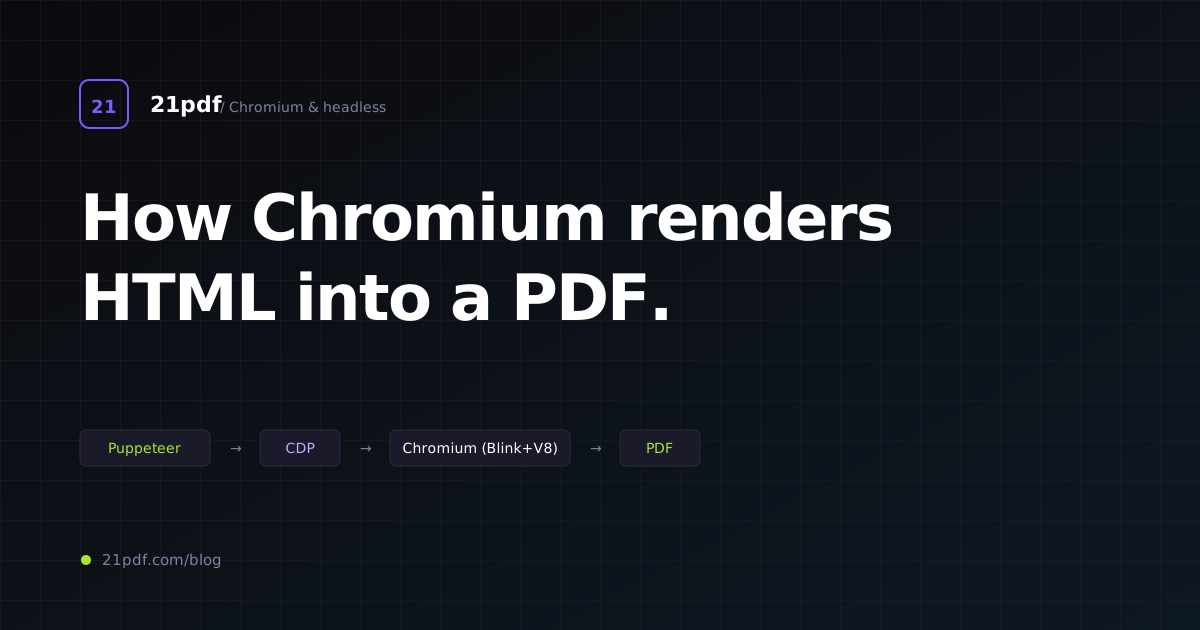
If you run an HTML-to-PDF API, build a reporting tool on Puppeteer, or just want to understand why your PDF looks subtly different from your browser window, you need a mental model of what happens inside Chromium when you call page.pdf().
This post is that mental model. It follows a single request from page.pdf() through to PDF bytes, naming every component along the way and flagging the places production systems get into trouble. It’s the architecture reference I wish I’d had when we started 21pdf.
TL;DR
- Blink is Chromium’s rendering engine. It parses HTML/CSS and produces a paginated layout tree.
- V8 runs the page’s JavaScript during load — this is why async-data pages need
wait_for_network_idle. - Skia takes the paginated layout and rasterises it, but into a PDF command stream instead of pixels — so text stays vector.
- The DevTools Protocol (CDP) is how Puppeteer, Playwright, chromedp, and every HTML-to-PDF API vendor triggers PDF generation via
Page.printToPDF. - Production services run a pool of long-lived Chromium processes, creating a fresh tab (page) per request and recycling processes periodically to reclaim memory.
- The difference between Puppeteer and Playwright for PDF generation is zero at the output level — they both produce byte-identical PDFs from the same HTML.
The pipeline at a glance
When you call await page.pdf({ format: 'A4' }) in Puppeteer, here’s what happens, in order:
- Puppeteer serialises your options into a CDP
Page.printToPDFcommand. - CDP (the DevTools Protocol) transmits the command to Chromium over the WebSocket that connects your automation script to the browser.
- Chromium’s browser process receives the command and dispatches it to the renderer process handling that tab.
- Blink — the renderer — pauses normal on-screen rendering and enters print preview layout mode.
- Blink re-lays the page as a series of paginated frames (one per printed page), applying
@pagerules, margins, page-breaks. - For each frame, Skia rasterises into a PDF command stream (vector paths, text glyphs, raster images).
- The browser process collects the frames and assembles them into a single PDF byte buffer.
- The bytes stream back over CDP to Puppeteer, which resolves your promise with a
Buffer.
The whole sequence takes 50ms to 3,000ms depending on page complexity and whether the Chromium process was warm.
The components
Blink (the rendering engine)
Blink is a fork of WebKit that Google took over in 2013. It’s the engine behind Chrome, Edge, Opera, Brave, and every other Chromium-derivative. It does:
- HTML parsing → DOM tree
- CSS parsing → CSSOM
- DOM + CSSOM merge → render tree
- Layout (computing geometry)
- Paint (producing display lists — instructions like “draw this rectangle”)
- Composite (combining layers for screen rendering)
For PDF output, the paint stage is where we diverge: Blink emits paint commands to a PDF-backed Skia canvas instead of a pixel-backed one.
The critical detail: Blink uses the same layout engine for screen and PDF. This is why Chromium’s PDF output matches the browser so closely — same flex, grid, paragraph, table logic. The only differences are:
- Pagination kicks in (
@pagerules consulted, page-breaks calculated) - No compositor thread (scrolling, animations, accelerated transforms don’t matter for a static capture)
- Some colour-space conversions happen (for accurate CMYK in advanced workflows)
V8 (JavaScript)
V8 runs the page’s JavaScript. For PDF generation this matters because:
- Initial scripts run during page load (the normal case).
- After load, JS stops unless you wait.
page.pdf()captures what exists at the moment of capture. If your JS fetches data afterDOMContentLoadedand renders it into the DOM, you needwaitUntil: 'networkidle0'(Puppeteer) orwait_for_network_idle: true(21pdf-style API) to let the fetches complete before capturing. - You can execute JS before capturing:
await page.evaluate(() => window.prepForPrint())runs any setup code you need. API-layer equivalents typically expose await_forexpression:"wait_for": "window.__reportReady === true".
V8’s role ends at layout. Once the DOM is stable, PDF generation doesn’t need V8.
Skia (the graphics library)
Skia is Chromium’s 2D graphics library. It powers on-screen drawing, canvas elements, images, and — critically for us — PDF output.
Skia has multiple backends:
- GPU backend for accelerated on-screen rendering
- Raster backend for CPU-side pixel production
- PDF backend for emitting PDF operator streams
When Chromium generates a PDF, Blink’s paint commands are replayed against the PDF backend. Every drawRect becomes a PDF path operator; every drawText becomes a PDF text-showing operator with a referenced font. The output is a vector PDF — crisp at any zoom.
The text stays as text (selectable, searchable, copy-pasteable) unless you’re rendering text inside a canvas or an SVG filter. Raster images stay raster. Paths stay vector. This is what makes Chromium-generated PDFs good for accessibility and indexing.
The Chrome DevTools Protocol (CDP)
CDP is the RPC interface for everything headless Chromium can do. It’s what you’re driving when you use Puppeteer, Playwright, chromedp (Go), selenium-webdriver-cdp, or any of a dozen other automation libraries.
The method relevant to PDF generation is Page.printToPDF:
{
  "id": 42,
  "method": "Page.printToPDF",
  "params": {
    "landscape": false,
    "displayHeaderFooter": false,
    "printBackground": true,
    "scale": 1.0,
    "paperWidth": 8.27,
    "paperHeight": 11.69,
    "marginTop": 0.4,
    "marginBottom": 0.4,
    "marginLeft": 0.4,
    "marginRight": 0.4,
    "pageRanges": "",
    "headerTemplate": "",
    "footerTemplate": "",
    "preferCSSPageSize": true,
    "generateTaggedPDF": false,
    "generateDocumentOutline": false,
    "transferMode": "ReturnAsBase64"
  }
}
Every option you’ve seen in an HTML-to-PDF API’s docs maps to a CDP parameter here. preferCSSPageSize: true is the one that says “if there’s an @page rule, honour that over the paperWidth/paperHeight I just passed.” printBackground: true is the opposite default of a browser’s print dialog (which drops backgrounds by default).
Response:
{
  "id": 42,
  "result": {
    "data": "JVBERi0xLjcKJeLjz9MKMSA... <base64-encoded PDF>",
    "stream": null
  }
}
Base64 PDF bytes. Puppeteer decodes them and hands you a Buffer. If you’re integrating against CDP directly, decode yourself.
Process model
Chromium is multi-process by design. A single instance comprises:
- The browser process — the “kernel” of the browser, handles UI, networking, process management, and CDP.
- One or more renderer processes — each hosts pages (tabs). Typically one renderer per origin for site isolation.
- A GPU process — GPU-accelerated drawing (disabled in headless by default).
- Network service process — handles network I/O.
- Utility processes — font loading, audio, etc.
For PDF generation the interesting processes are the browser (receives CDP commands, orchestrates PDF assembly) and the renderer (runs Blink + V8 + Skia for the page).
You need to know this because:
- Crashes are scoped: a renderer crash takes down one page but not the browser. A browser crash takes down everything.
- Memory is per-process: Chromium’s RSS grows most in the renderer over many pages. Production services recycle processes to reclaim memory.
- Site isolation can spawn new renderers mid-render (navigation across origins triggers a new process). This mostly affects
urlinput with redirects; if you’re posting raw HTML, you stay in one renderer.
Puppeteer vs Playwright (for PDF)
Both libraries speak CDP. Both drive Chromium. For PDF output specifically:
Puppeteer
- Made by the Chrome DevTools team; closest to “official.”
- Bundles a specific Chromium version. Upgrade cycle is tightly coupled.
page.pdf(options)is a thin wrapper aroundPage.printToPDF.- API feels Chrome-first: every Chromium feature is accessible.
Playwright
- Made by Microsoft; the team includes ex-Puppeteer engineers.
- Multi-browser: Chromium, Firefox, WebKit. But only Chromium supports PDF output.
page.pdf(options)callsPage.printToPDFunder the hood — byte-identical output to Puppeteer.- Ergonomic API for complex interaction scenarios (great if your PDF workflow involves clicking through a flow before capture).
For HTML-to-PDF specifically
Either is fine. The vendor’s choice of library has no bearing on the output quality. Playwright is slightly more popular for new projects in 2026 because the broader automation ergonomics are nicer; Puppeteer is slightly leaner if you only ever do Chromium.
If you’re building an HTML-to-PDF service yourself, pick whichever has better support in your stack (Puppeteer has first-class Node support; Playwright has Node, Python, Java, .NET).
21pdf’s engine uses chromedp (Go), which is a third option talking CDP directly without Puppeteer-style abstractions. The choice was dictated by Go being our backend — output is identical.
Running a Chromium process pool
Real HTML-to-PDF services run a pool of long-lived Chromium processes, not a fresh launch per request. Cold-starting Chromium costs 500-1500ms; pooling drops per-request overhead to <50ms.
Pool lifecycle
┌─────────────────────────────────────────────┐
│  Process pool (N long-lived Chromium procs) │
└──────────────┬──────────────────────────────┘
               │
  ┌────────────┼────────────┬──────────────┐
  │            │            │              │
  ▼            ▼            ▼              ▼
Worker 1   Worker 2    Worker 3        Worker N
  │            │            │              │
  ▼            ▼            ▼              ▼
 Tab A       Tab B        Tab C          Tab D
(1 page     (1 page     (1 page        (1 page
 per req)    per req)    per req)       per req)
Each worker owns a Chromium process. For each incoming request:
- Acquire a worker from the pool (blocking if saturated).
- Create a new page (tab) in that worker’s browser.
- Load the HTML or URL.
- Wait for the ready condition (network idle, selector, JS predicate).
- Call
Page.printToPDF. - Close the tab.
- Return the worker to the pool.
This is nearly exactly what 21pdf’s worker pool does. The Go code is straightforward once you have the CDP connection — the complexity is in the pool manager.
When to recycle a process
Chromium leaks memory over long sessions — not dramatically, but visibly. Production services recycle processes on:
- Request count: after N renders (typically 500-2000), kill and re-launch.
- Memory watermark: RSS > 2GB, recycle.
- Age: longer than 24 hours, recycle.
- After a crash: obviously, but also after any render that took > 30 seconds (often a sign of pathological GC behaviour building up).
Recycling is graceful: drain the worker of in-flight requests, page.close() all tabs, browser.close(), launch a new browser, add to pool.
Concurrency within a process
A single Chromium process can handle many concurrent pages, but not infinitely many. Practical limits:
- 3-5 concurrent pages per process is comfortable
- 8-10 starts seeing memory pressure
- 20+ risks OOM
If your service needs 100 concurrent renders, it needs ~25 Chromium processes, not one process with 100 tabs. This sets your RAM budget — Chromium baseline is ~500MB per process, so 25 processes = 12.5GB RSS minimum.
Warm vs cold
A warm request:
- Reuse an existing Chromium process
- Create a new tab (~50ms)
- Render (100-500ms)
- Total: 150-550ms
A cold request:
- Launch Chromium (~1000ms)
- Wait for CDP ready
- Create tab
- Render
- Total: 1500-2500ms
Every HTML-to-PDF API has both modes. Free tiers are often cold (no dedicated pool); paid tiers are warm. Ask the vendor about their pool architecture if latency matters.
Headless modes
Chromium has two headless modes in 2026:
Old headless (headless_shell)
- Stripped-down binary without the full rendering stack for on-screen
- Smaller, faster to launch
- Slight behaviour differences vs headed Chrome
- Default in Puppeteer < 22
New headless (Chrome 112+)
- Same binary as regular Chrome, just
--headless=new - Byte-identical rendering to headed Chrome
- Slightly more memory (~15-30% more RSS)
- Default in Puppeteer ≥ 22, Playwright ≥ 1.40
For PDF generation in 2026, use new headless. The compatibility win outweighs the memory cost; if a developer sees a weird PDF artefact and opens the same HTML in Chrome to compare, new headless makes the output match.
21pdf runs new headless. If a vendor is still on headless_shell, ask them why — it’s a legacy choice worth knowing about.
Common failure modes
Renderer crash mid-page
Symptoms: your Puppeteer call hangs, then throws “Target closed”. Renderer hit a seg-fault (usually on a malformed font or broken CSS).
Mitigation: wrap page.pdf() in a timeout; on crash, browser.close() and re-launch. Worker pool handles this by marking the worker dead and spawning a replacement.
Font fallback
Symptoms: PDF renders with Arial where your CSS specifies Inter. Cause: font fetch didn’t complete before page.pdf() fired.
Mitigation: wait_for_network_idle: true (Puppeteer: waitUntil: 'networkidle0'). For web fonts specifically, document.fonts.ready:
await page.evaluate(() => document.fonts.ready);
Charts render blank
Cause: canvas-based chart libraries paint asynchronously after DOMContentLoaded. By the time page.pdf() fires, the canvas is still empty.
Mitigation: wait for a specific condition, either a selector (await page.waitForSelector('.chart.ready')) or a JS expression (await page.waitForFunction('window.__charts_done')). Many chart libraries have a renderComplete callback — use it.
@page rules ignored
Cause: preferCSSPageSize: false or printBackground: false. Puppeteer’s defaults aren’t always what you want.
await page.pdf({
  preferCSSPageSize: true,    // let CSS @page win
  printBackground: true,      // honour background colours/images
});
Memory leaks over long sessions
Cause: Chromium’s normal behaviour. Fix: recycle processes periodically (see above).
Intermittent hangs at page.pdf()
Cause: a background script in the page has an infinite loop, or network hangs (e.g. a font CDN that doesn’t respond, doesn’t 404 either).
Mitigation: timeout + abort. Every PDF operation should have an overall deadline (30s, 60s — pick based on your SLA); on timeout, destroy the tab and probably the worker.
What makes an HTML-to-PDF API good at this
You’ve seen the architecture. Here’s what distinguishes well-run HTML-to-PDF APIs from amateur ones:
- Fresh Chromium versions: patched within 7-14 days of upstream. Security CVEs in the renderer are real.
- Process pool with recycling: RSS growth is bounded, crashes don’t take down the whole service.
- Separate SSRF layer inside the page: beyond the HTTP-boundary check, intercept every browser sub-request and re-validate. (See the HTML-to-PDF API guide.)
- Configurable wait conditions: network idle, selector, JS predicate. Not just a fixed
delay_ms. - Reasonable concurrency limits: per-user concurrency enforcement prevents noisy-neighbour issues.
- Honest cold-start behaviour: either warm the pool or tell the customer they’re on a cold path.
21pdf does all of these. So do PDFShift and DocRaptor, per our 2026 comparison. Some cheaper services skip one or two — inspect before you commit.
Try a well-tuned Chromium pool
21pdf runs a pooled Chromium worker system with new-headless rendering. Free tier: 20 PDFs/month with the full feature set.
Closing
Chromium’s PDF pipeline is more understandable than it looks from the outside. Blink lays out paginated frames; Skia rasterises to vector PDF; CDP orchestrates the process; Puppeteer/Playwright/chromedp wrap that RPC; and a well-engineered service manages a pool of long-lived processes to keep latency low and memory bounded.
If you’re integrating against an HTML-to-PDF API, this post is mostly reassurance — you don’t have to think about most of it. If you’re building one, the details above are where the real engineering lives. Either way, knowing the architecture makes error messages more legible and the weird edge cases less surprising.
— 21pdf Engineering